Gym attendance software with QR check-in at the door, and a record of who is actually training
Every member card has a QR code. Scan it at the desk and the visit is recorded in a second. If the plan has expired, your staff see it before the member is through the door. The same scans build a record of who is training and who has stopped.
-
At the desk
Use a normal USB or Bluetooth QR scanner, or search the member by name.
-
Why QR and not fingerprint
Jimwala does not work with fingerprint or face-recognition machines.
-
When the desk is busy
Members who have signed in once on their phone can scan a poster at the entrance and check themselves in, with the same rules as the desk.
See QR check-in and attendance in the app
QR check-in
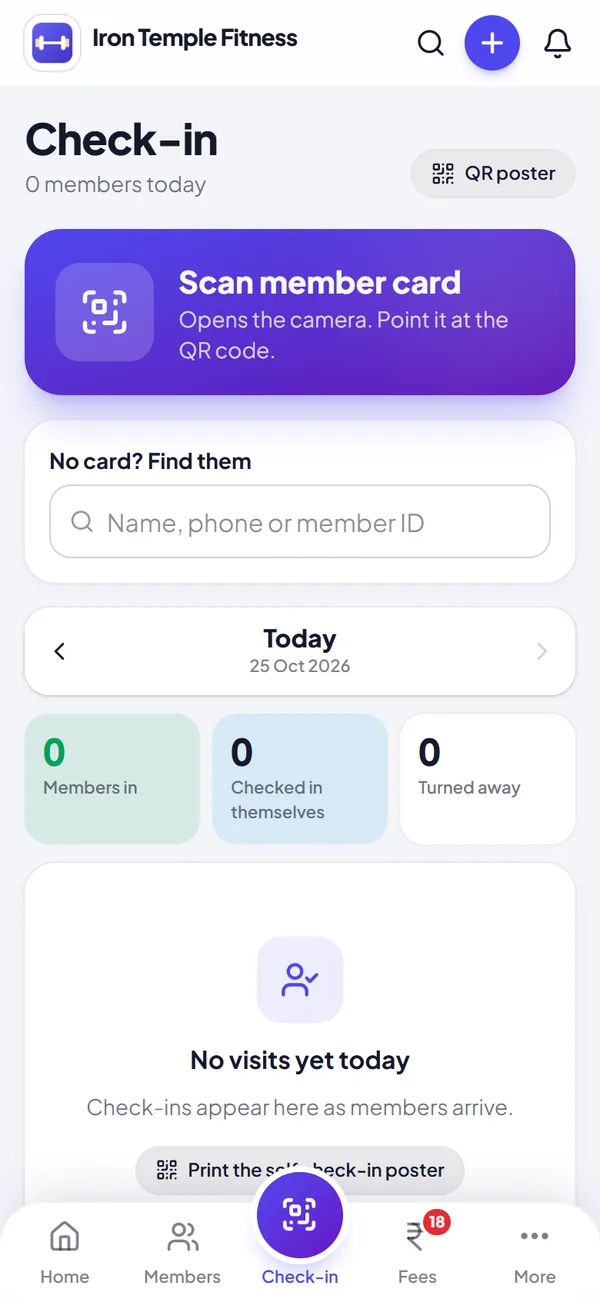
Scan the member card at the door, or let members check themselves in with your printed QR poster.
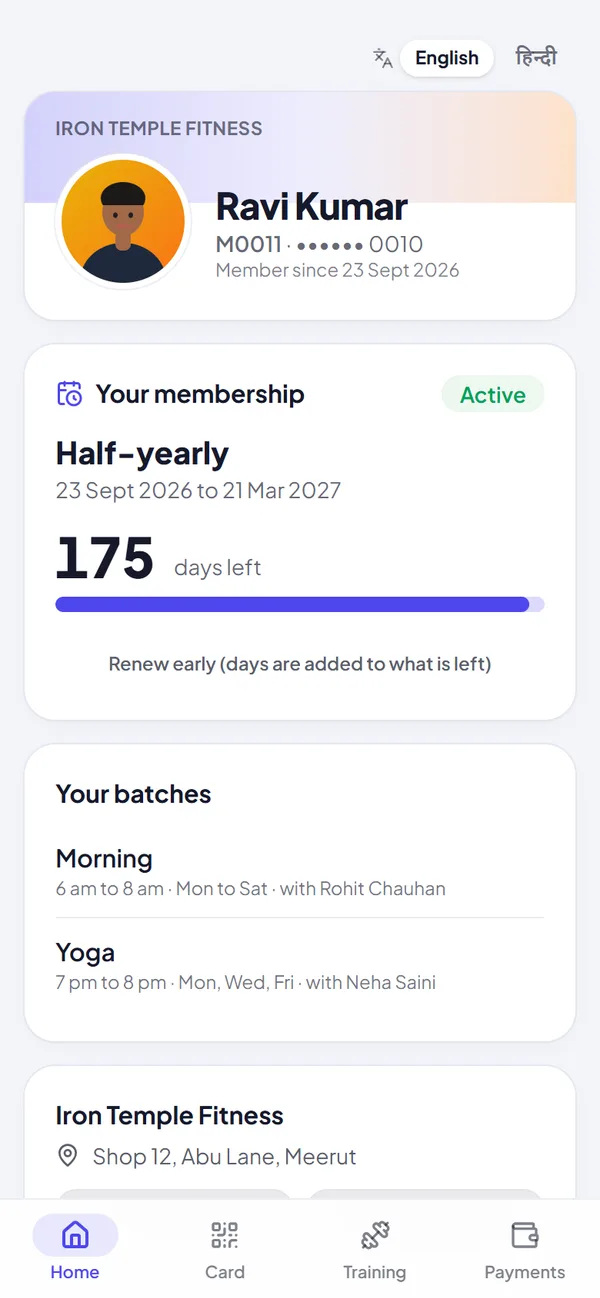
An app for your members
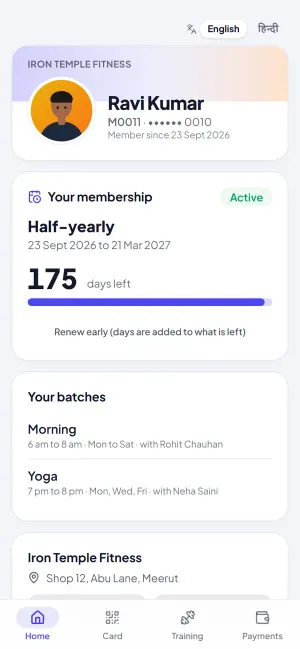
Members see their plan, days left and batches, in English or हिन्दी.
At the desk
Use a normal USB or Bluetooth QR scanner, or search the member by name. A green tick means a valid plan. If the plan has expired or the member has left, the screen says so with the reason. It does not count as a visit, so your staff can offer a renewal instead of an argument.
It runs on whatever you have at the desk: phone, tablet or PC. There is no machine to buy from us.
Why QR and not fingerprint
Jimwala does not work with fingerprint or face-recognition machines. QR means nothing to buy or maintain and no biometric data to look after. It also means one member cannot be checked in by a friend's finger. If you are weighing the two, our guide on biometric versus QR attendance lays out where each one wins.
When the desk is busy
Members who have signed in once on their phone can scan a poster at the entrance and check themselves in, with the same rules as the desk. Set up and limits are on the member app page.
Try qr check-in and attendance with your own members, free for 14 days.
Start free trialReading the attendance
Open a member and go to Visits. You see recent check-ins with day and time, including the times they were turned away because their plan had ended. Visits this month and in the last 30 days are counted by training day, so two scans on the same day count once.
A week (Monday to Sunday) counts when the member trains on at least 3 days. The streak is how many weeks in a row did. The 3-day goal is the same for everyone at the moment, and cannot be changed. A 12-week calendar shows one square per day, so someone who has slowed down is easy to spot. You can also see how many days a week they trained over the last 8 weeks, and whether they come in the morning, afternoon or evening. Everything follows India time.
Milestones appear on the member's own page: first visit, 10, 25, 50, 100, 250 and 500 visits, and 4, 8 and 12 weeks in a row.
What to do with it
A member whose calendar has gone empty is usually the one who will not renew. A WhatsApp or a call before the plan ends is cheap. The guide on spotting members about to leave covers what to say.
Print the poster in a minute
The Check-in screen has a QR poster button. It makes a printable poster for your entrance, with the steps members follow. If you have members but nobody has checked in yet, Home reminds you to print it, because check-in is what lets you see who has stopped coming and win them back.
Questions about qr check-in and attendance
Do I need special hardware?
No. A normal USB or Bluetooth QR scanner works, and you can search by name.
What happens if an expired member tries to check in?
The screen shows the plan has expired (or the member has left) and the scan is not counted as a visit.
How is a visit counted?
A check-in with a valid plan counts as a visit, at most one per day.
Can I change the 3-day weekly goal?
Not at the moment.
Does Jimwala work with fingerprint or face machines?
No. It uses QR check-in instead.
Guides on qr check-in and attendance
- Gym attendance tracking: how to spot members who are about to leaveThe few numbers worth watching, a simple rule for "gone quiet", and messages you can send.
- Biometric vs QR attendance for gyms in India: which one should you use?What a biometric machine really costs to run, where QR is enough, and how to stop expired members walking in.
- Best gym software in Pune: what Pune gym owners should look forGym software for Pune: IT-park schedules, members who move jobs, the monsoon and being found by area.
More Jimwala features
- Explore
Member app and member page
Without something for members to look at, the front desk answers the same questions all day: how many days are left, what do I owe, can you send my receipt.
- Explore
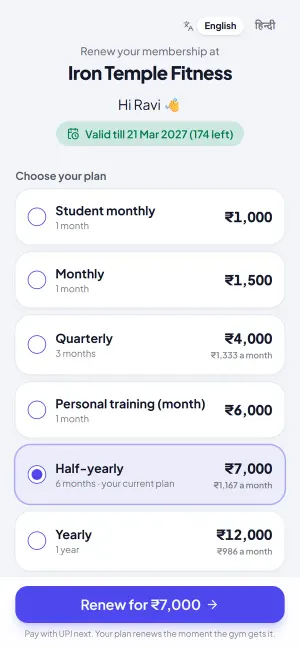
Membership renewals
A new member costs you advertising, time and often a discount.
- Explore
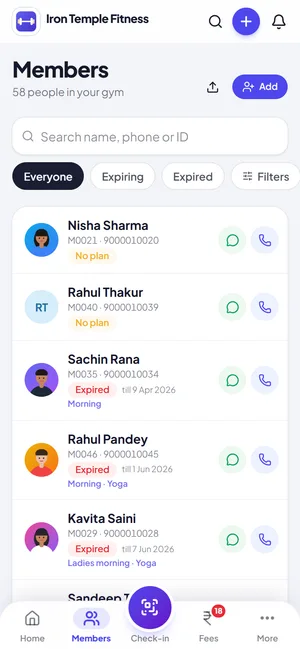
Member management
Most gyms start with a register and a calculator, then move to an Excel sheet that only one person understands.