Collect gym fees on UPI, straight into your own account
Your members already pay for everything on UPI. Jimwala gives every pending fee a payment page with your gym name, the invoice and the exact amount. The member pays your UPI ID, you confirm, done. The money goes from their app to your account. Jimwala never touches it.
-
Setting up takes about a minute
Settings, then Payments. Take a photo of the UPI QR on your counter, or type the UPI ID.
-
What the member sees
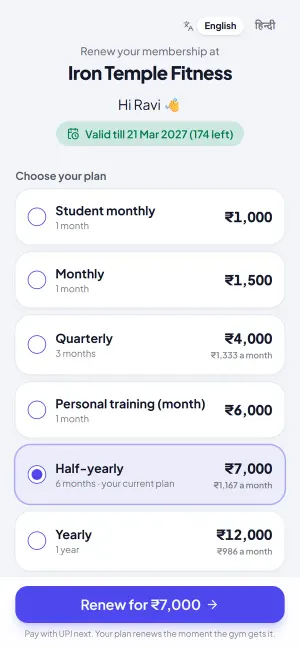
A plain page with the gym name, the invoice number and the amount.
-
The honest part: you confirm every payment
No software can see inside your bank account when you use your own UPI ID.
See UPI fee payments in the app
UPI straight to your account
Members pay your own UPI ID. You confirm with one tap, and the receipt goes out. Jimwala never holds your money.
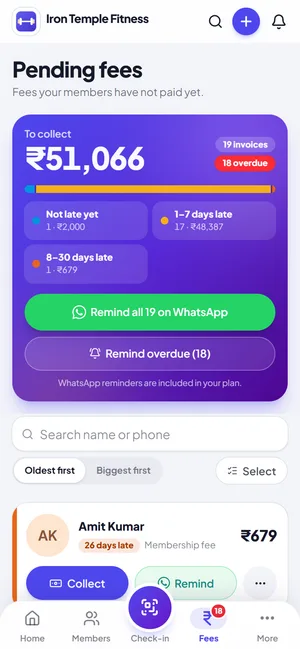
Dues and WhatsApp reminders
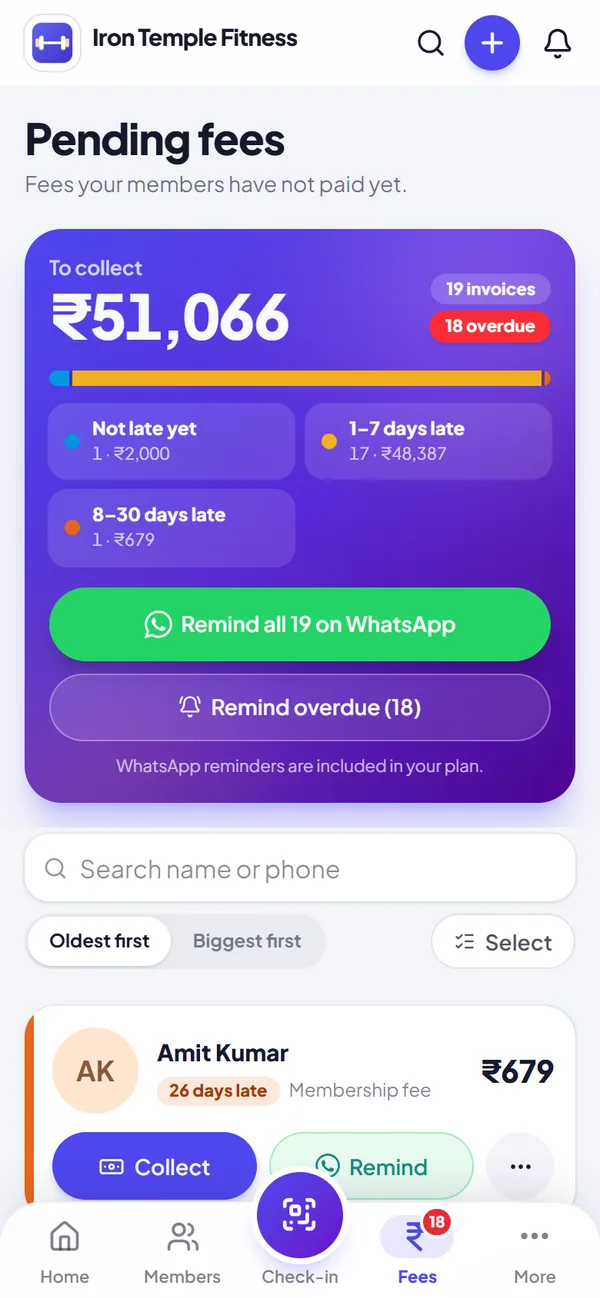
See who owes what, then collect at the desk or remind everyone on WhatsApp in one tap.
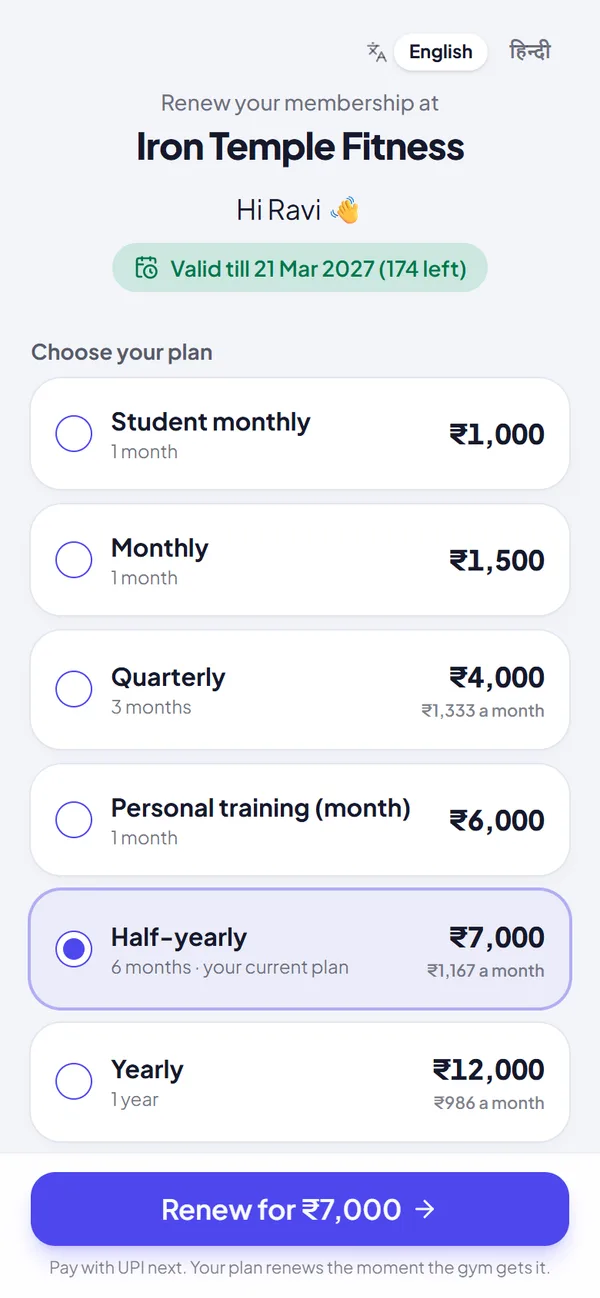
One-tap renewal
Members pick a plan and pay by UPI. The plan renews as soon as you are paid.
Setting up takes about a minute
Settings, then Payments. Take a photo of the UPI QR on your counter, or type the UPI ID. There is no payment gateway to apply for, no PAN, no bank forms and no approval wait. A shop or business UPI ID works best. Some UPI apps refuse certain payments to a personal ID, so the page also shows your ID to copy and pay by hand.
What the member sees
A plain page with the gym name, the invoice number and the amount. They copy your UPI ID with one tap, pay in Google Pay, PhonePe, Paytm or any UPI app, come back and press "Yes, I paid", adding the UPI reference if they have it. The page shows nothing about the member beyond that, and the link is long and random so it cannot be guessed.
The honest part: you confirm every payment
No software can see inside your bank account when you use your own UPI ID. So Jimwala does not pretend to. The member says they paid, the payment appears in a To confirm list at the top of Dues, and you also get a WhatsApp message. You check your UPI app and tap Received. Only then is the fee recorded as UPI and the receipt sent.
If you cannot find the payment, tap Not received. The member's page says so and offers to pay again or call you. Nobody is marked paid by mistake.
We chose this over a payment gateway deliberately. Gateways need paperwork a lot of small gyms do not have, and they take a cut. The trade-off is that one tap of yours is needed for each payment.
Try upi fee payments with your own members, free for 14 days.
Start free trialAt the desk and on WhatsApp
When someone pays in person, the collect sheet shows a QR for your UPI ID with that fee's amount. They scan, pay, and you tap Received.
On the Dues page, tap WhatsApp next to a member and the chat opens with their name, the amount and the link typed out. You send it from your own phone, so it costs no message credits.
Your UPI screen
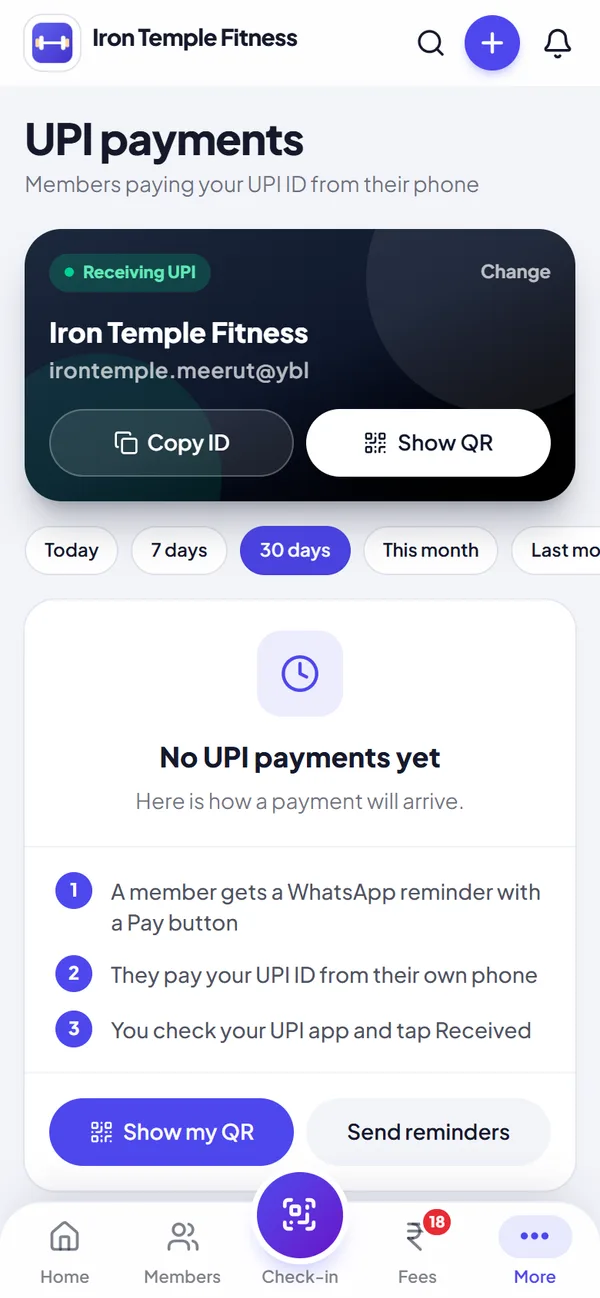
The UPI payments screen shows your UPI ID with a Copy button and Show my QR for the counter. A Received on UPI card calls out payments waiting to be confirmed, with those first, then Received and Not received grouped by day.
Part payments
Record the part payment and the invoice stays open. The payment page then shows only the amount left, so the next link asks for the right figure.
Questions about upi fee payments
Do I need a payment gateway account?
No. Members pay your own UPI ID, so there is no gateway, no PAN or bank verification and no waiting.
How does Jimwala know a payment was made?
It does not see your bank. The member tells the page they paid, and you check your UPI app and tap Received. Nothing is marked paid until you do.
Where does the money go, and what does it cost?
Straight from the member's UPI app to your UPI ID. Jimwala charges nothing on it and there is no gateway fee.
Shop UPI ID or personal UPI ID?
A shop or business ID works best. A free business QR from your bank is worth getting.
What if a member pays only part?
Record the part payment. The invoice stays open and the next link asks for the balance.
More Jimwala features
- Explore
Fee collection and dues
Cash today, UPI tomorrow, half now and half on Saturday.
- Explore
Membership renewals
A new member costs you advertising, time and often a discount.
- Explore
GST invoices and receipts
Since 22 September 2025, GST on gym and fitness services has been 5% without input tax credit, and more members now ask for a proper bill.