Gym management app for Android and iPhone: install Jimwala like an app, without the Play Store
You run your gym from the desk, the floor and your own phone. Jimwala installs on the home screen of any phone or computer straight from the browser and opens full screen like an app. There is nothing to download from the Play Store or App Store.
-
Installing it
Open Jimwala in Chrome on Android, Safari on iPhone or iPad, or Chrome or Edge on a computer.
-
Why a web app and not a store app
A browser-based app has one big advantage for a gym: nothing to keep updated.
-
The trade-off
Because your gym's data is always fetched live and never stored on the phone, the app needs an internet connection.
See Gym app for owners and staff in the app
Today: what to do next
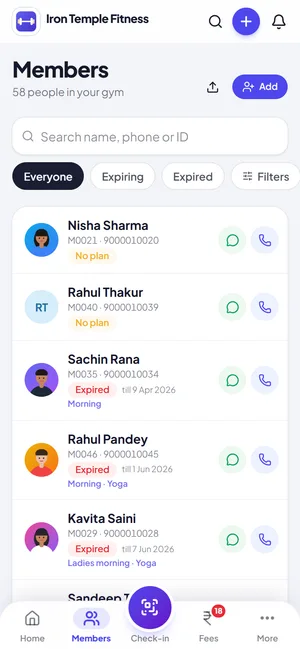
Overdue fees, renewals by name with a one-tap WhatsApp reminder, birthdays and new enquiries, in one list you can finish.
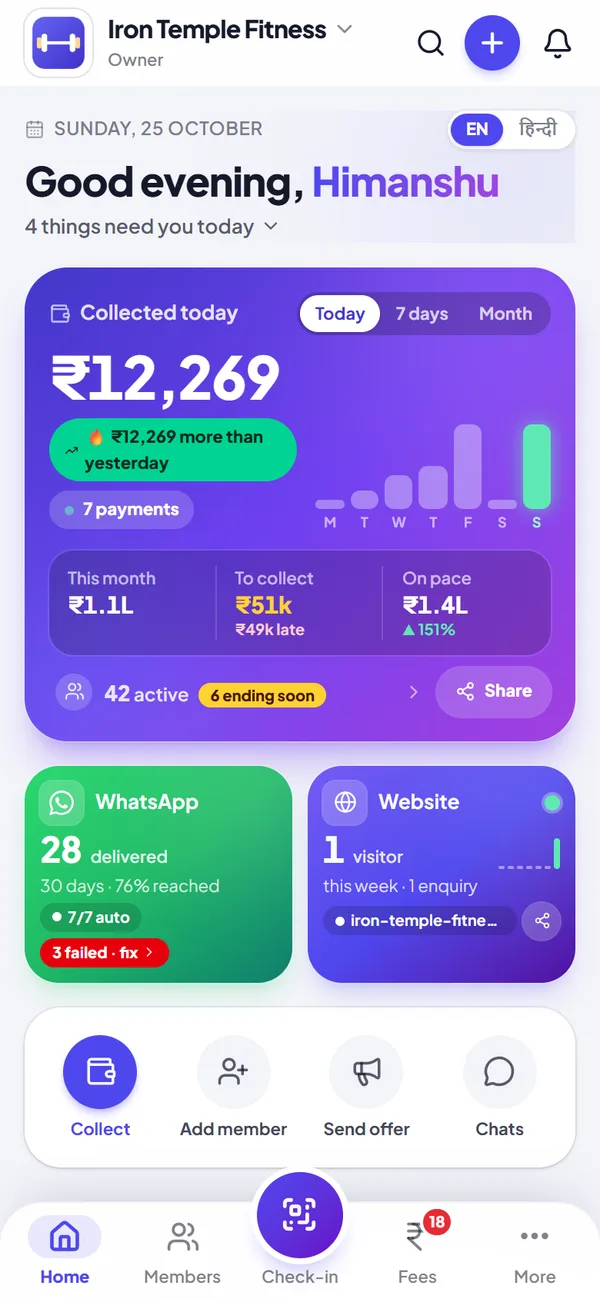
Your gym at a glance
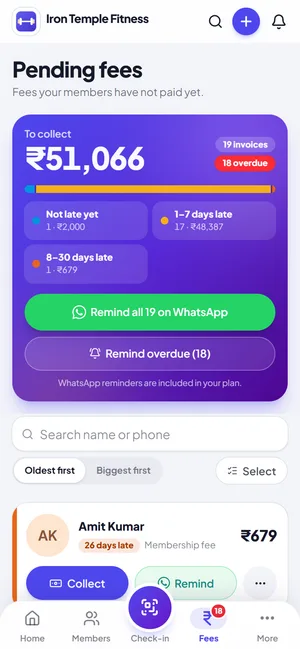
Money collected today, dues to chase, how the month is going, and WhatsApp and your website at a glance.
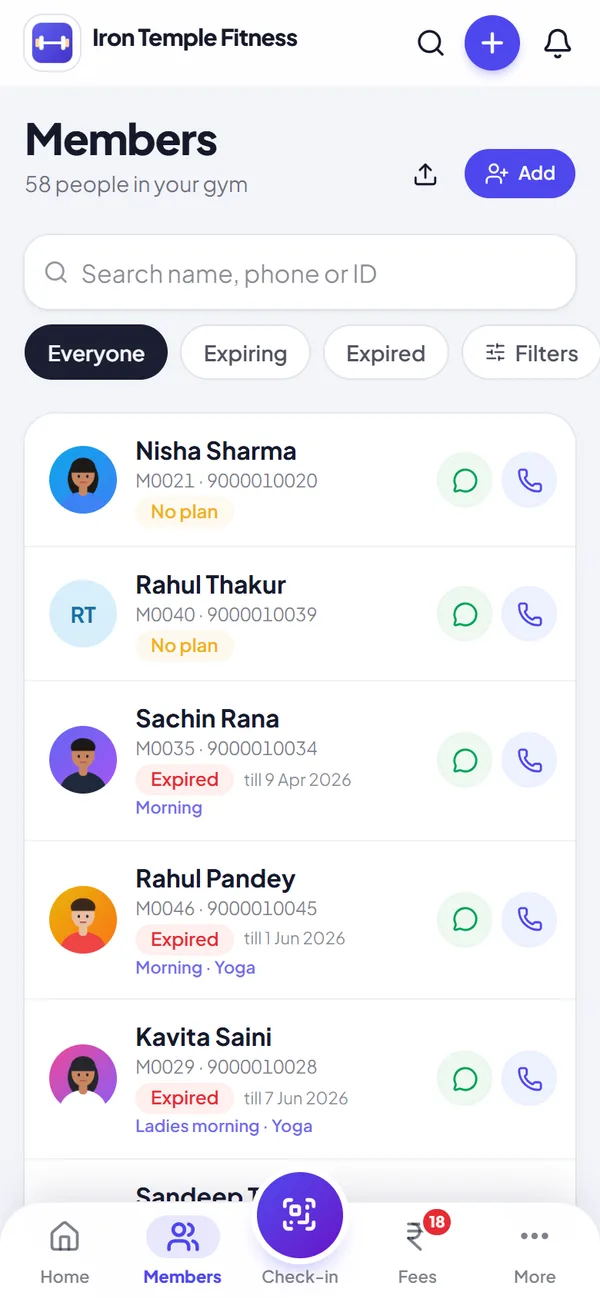
Every member in one list
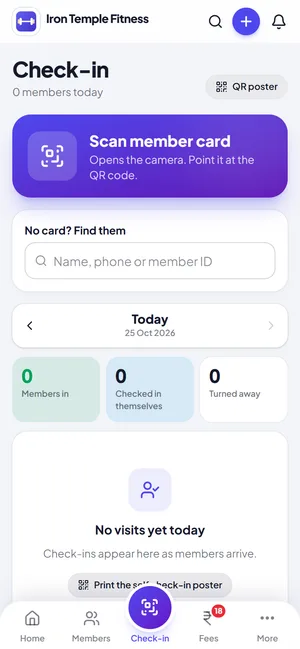
Search by name, phone or ID. Filter by batch, expiring soon or not coming.
Installing it
Open Jimwala in Chrome on Android, Safari on iPhone or iPad, or Chrome or Edge on a computer. On Android and desktop, tap Install. On iPhone, use Share, then Add to Home Screen. Jimwala shows you the steps. Sign in once with a code sent to your WhatsApp. Staff use their own logins and see only what their role allows.
On Android, press and hold the icon for shortcuts: Check-in, Dues, Members, Add a member.
Why a web app and not a store app
A browser-based app has one big advantage for a gym: nothing to keep updated. You never wait for a store to approve a release and your staff never run an old version. It also runs on the older Android phones that struggle with big apps.
It keeps its own files on the device so it opens fast on a slow connection, but only those files. No member list, payment or gym data is stored on the phone, so a signed-out or lost phone shows nothing.
The trade-off
Because your gym's data is always fetched live and never stored on the phone, the app needs an internet connection. Without one it shows an offline page. If your gym has patchy mobile data, keep that in mind. You do not have to install it at all; Jimwala also works in a normal browser tab.
Try gym app for owners and staff with your own members, free for 14 days.
Start free trialHome tells you what to do today
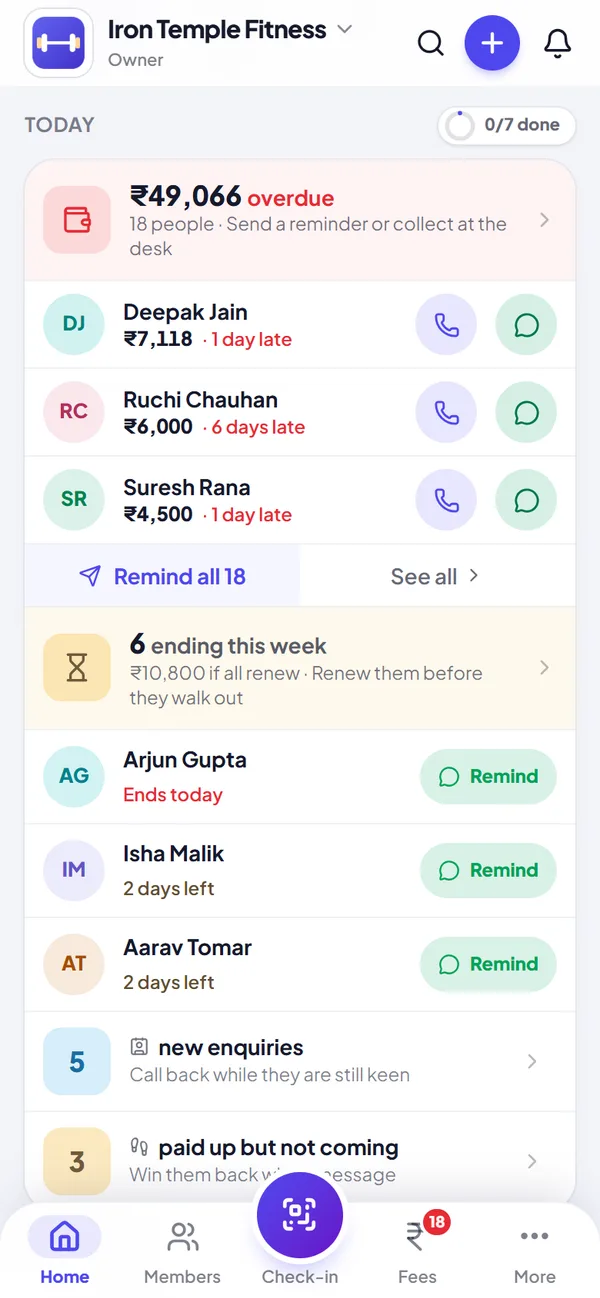
The Home screen is built around one question: what needs me today. Fees overdue come first, with the total, the people owing the most, and Call and WhatsApp buttons beside each name. Memberships ending this week are listed by name with a Remind button that opens your own WhatsApp with the message already typed in English or Hindi. Because you send it from your phone, it costs no message credits.
Below that sit new enquiries, members who paid but have stopped coming, birthdays to wish and numbers WhatsApp cannot reach. A small ring fills as you remind, call or wish each person, and a short celebration appears when the list is done.
Your money at a glance
The top card shows what you collected today, with the last seven days as bars (tap a bar to read that day), this month, what is still to collect and how much of it is late, and where the month is heading at the current pace against last month. One tap on Share sends the day's numbers to your partner or a family group on WhatsApp.
Activity shows payments, new members, check-ins and enquiries as they happen, and a payment that arrives while the app is open appears with a short notice.
Make Home yours, in English or हिन्दी
Switch the whole Home between English and Hindi with one tap. Choose your own four shortcuts from collect, add member, send offer, chats, check-in, expense, sell item, enquiry, reports and website, and hide the cards you do not use. These choices are kept on that phone, so a trainer's Home can look different from yours.
Questions about gym app for owners and staff
Is Jimwala on the Play Store or App Store?
No, and you do not need it. It installs from the browser.
Does the app work without internet?
No. Your gym's data is fetched live and never stored on the phone. Without a connection it shows an offline page.
Which phones and computers work?
Android with Chrome, iPhone and iPad with Safari, and Windows or Mac with Chrome or Edge.
Do I have to install it?
No. It works in the browser. Installing adds an icon and opens it full screen.
Can I see who to chase today?
Yes. Home lists overdue fees with the amount, how many days late, and Call and WhatsApp buttons for each person, and one button to remind everyone overdue.
Is the owner app available in Hindi?
Home and the main screens switch between English and Hindi with one tap. Members see their own app, check-in and payment pages in English or Hindi too.
Can I change what Home shows?
Yes. Customise Home lets you pick your own shortcuts and hide cards such as members, activity or WhatsApp and website.