Answer members' WhatsApp replies from the Jimwala app, in one inbox
Send a reminder and members reply: "paid yesterday", "freeze my plan", "what time is yoga?". Those replies usually go to a phone nobody checks. Jimwala files every reply under the member it came from, so you answer from the app like any chat.
-
A chat screen, not a pile of messages
Replies are filed per member and open as a conversation under the top bar, with the answer box at the bottom.
-
WhatsApp's 24-hour window
WhatsApp lets a business answer free-form for 24 hours after the member's last message.
-
Opt-outs are respected
If a member replies STOP, they are switched off for reminders and offers.
See WhatsApp chats inbox in the app
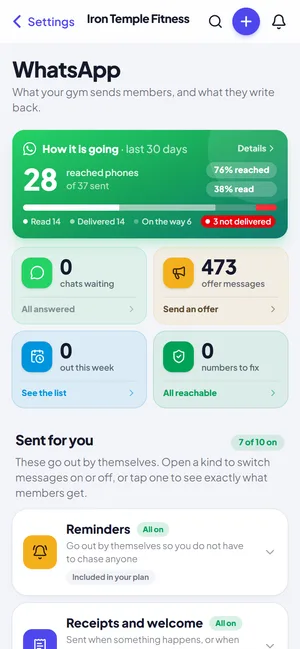
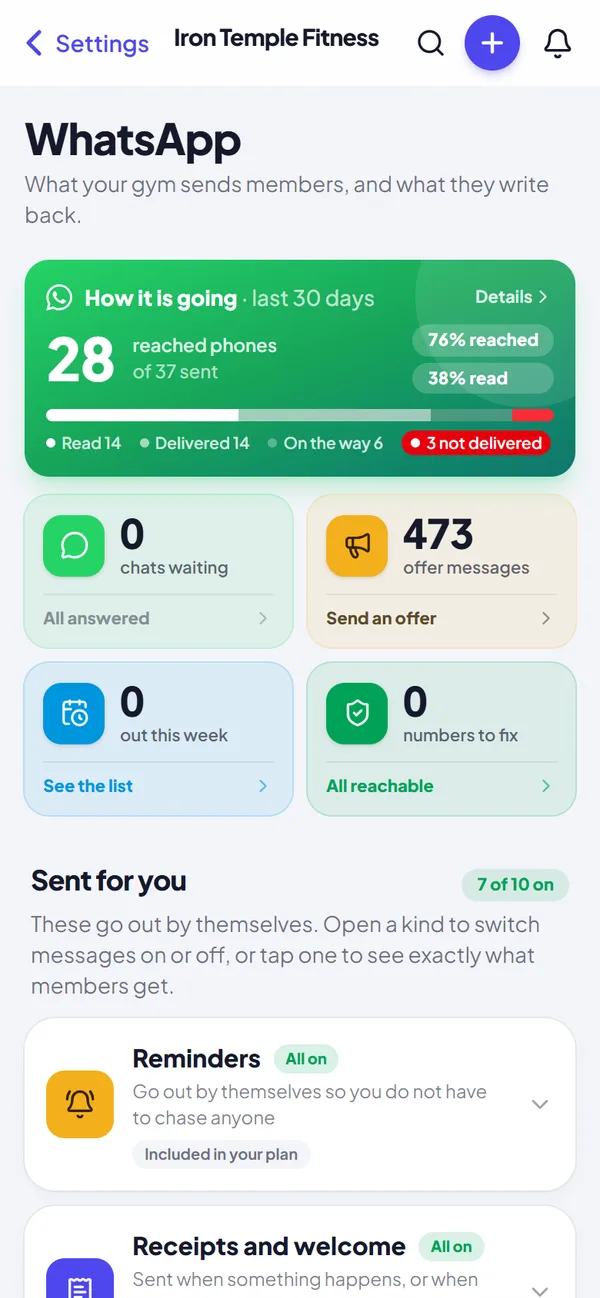
WhatsApp that runs itself
Renewal, dues and receipt messages go out on their own. See how many were delivered and read, and fix the numbers that failed.
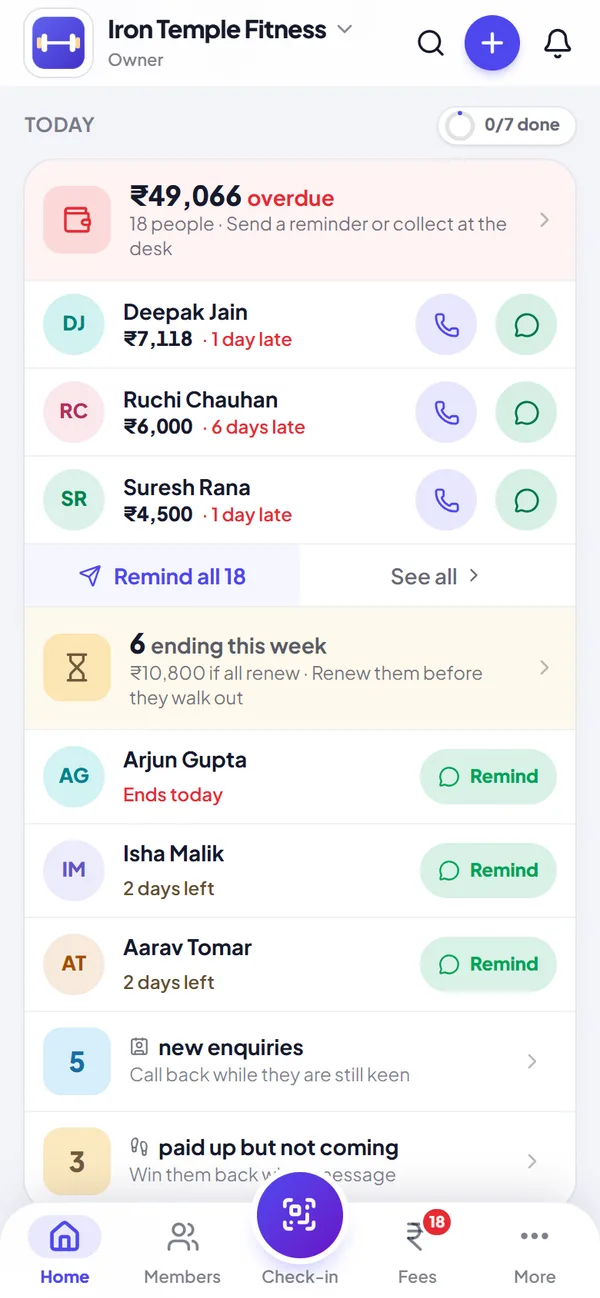
Today: what to do next
Overdue fees, renewals by name with a one-tap WhatsApp reminder, birthdays and new enquiries, in one list you can finish.
A chat screen, not a pile of messages
Replies are filed per member and open as a conversation under the top bar, with the answer box at the bottom. An unread badge shows on More and in the sidebar, and a notification opens the right chat. Messages you send show at once, with delivery ticks, and Send again appears on any that failed.
Use quick answers for the replies you type every day. Answers go out signed with your gym's name. Search finds a member, and a Waiting filter shows chats that need you.
Try whatsapp chats inbox with your own members, free for 14 days.
Start free trialWhatsApp's 24-hour window
WhatsApp lets a business answer free-form for 24 hours after the member's last message. Jimwala shows when the window is open, and after it closes the box says so in plain words instead of failing silently.
Opt-outs are respected
If a member replies STOP, they are switched off for reminders and offers. START switches them back on, and STOP ALL stops everything. Photos and voice notes a member sends are passed to you as a note.
Questions about whatsapp chats inbox
Do I need a separate phone for WhatsApp?
No. Messages go through Jimwala's official WhatsApp business connection and the replies land in the app.
Can several staff members answer chats?
Yes, anyone with a login whose role allows it. A view-only sub owner can read but not reply.
What happens if a member says STOP?
They are switched off for reminders and offers and skipped everywhere, until they reply START.
Is there a time limit to reply?
WhatsApp allows free-form answers for 24 hours after the member's last message. The app shows whether the window is open.
More Jimwala features
- Explore
WhatsApp reminders
Calling members about money is the job nobody at a gym enjoys.
- Explore
Member management
Most gyms start with a register and a calculator, then move to an Excel sheet that only one person understands.
- Explore
Enquiries and leads
Most people who ask about a gym do not join on the first visit.