Digital member management system for gyms: every member, plan and payment in one list on your phone
Most gyms start with a register and a calculator, then move to an Excel sheet that only one person understands. Jimwala replaces both with a member list that opens on your phone and answers the questions you get asked all day: who is active, who is about to expire, who owes money, who stopped coming.
-
What a member record holds
Name, mobile number, photo, plan, batch and a member code.
-
Freeze, leave and come back
People travel, get injured, go home for a wedding season.
-
Changing plans without a calculator
A monthly member wants to go quarterly.
See Member management in the app
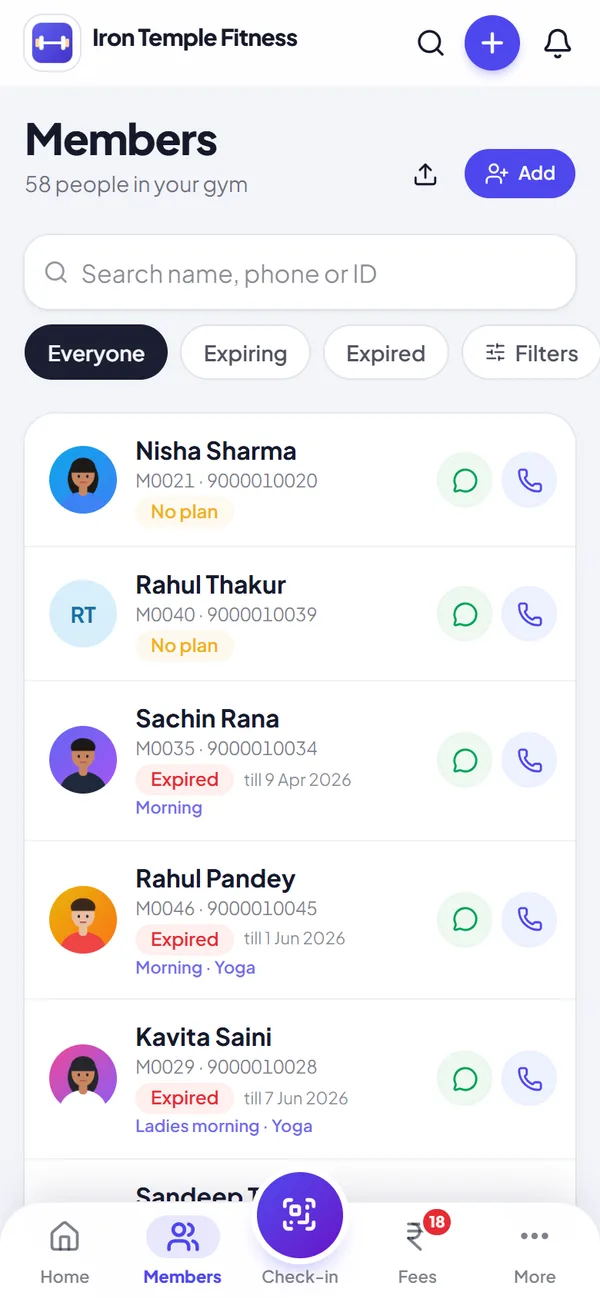
Every member in one list
Search by name, phone or ID. Filter by batch, expiring soon or not coming.
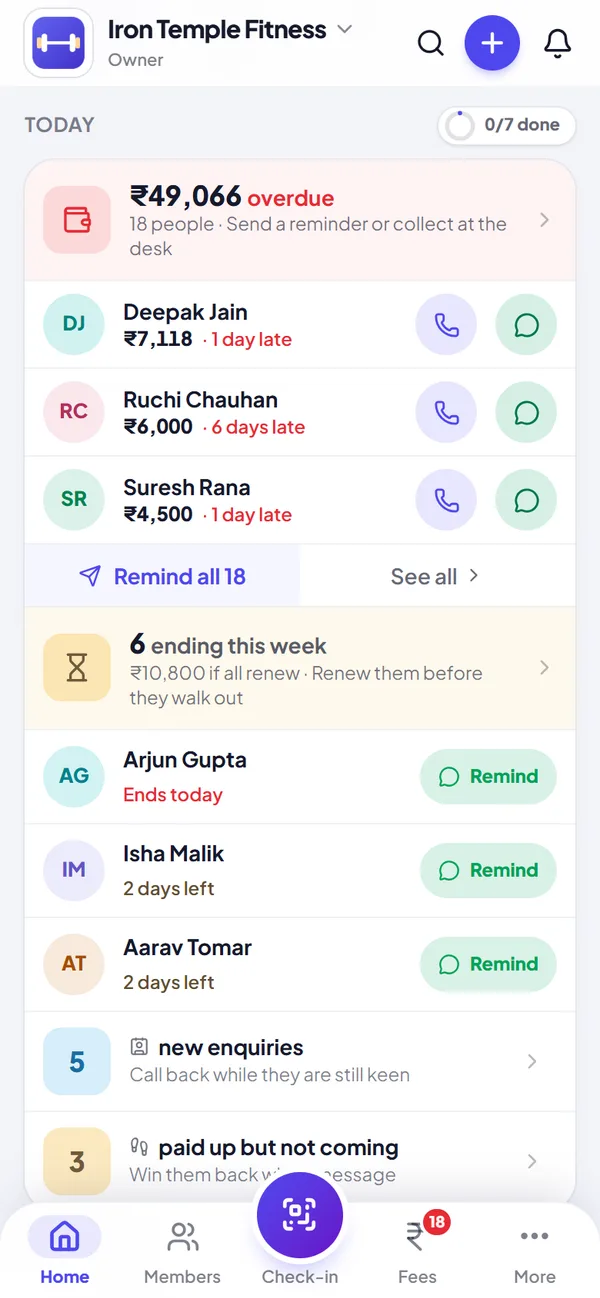
Today: what to do next
Overdue fees, renewals by name with a one-tap WhatsApp reminder, birthdays and new enquiries, in one list you can finish.
What a member record holds
Name, mobile number, photo, plan, batch and a member code. Under that sits a timeline of everything that has happened: renewals, payments, plan changes, freezes, notes. When a member says "I paid last month, I swear", you open the timeline and look.
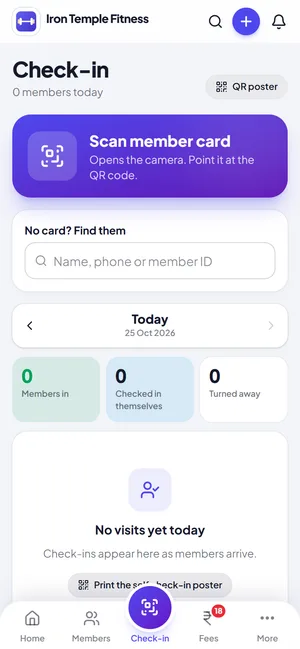
Each member can download a card with their photo, code, plan details and a QR code. Print it at the desk or send it on WhatsApp. The QR on the front is what you scan at check-in.
Freeze, leave and come back
People travel, get injured, go home for a wedding season. You can freeze a membership and it comes off the active count. If someone leaves, mark them as left and note why. Left members are kept out of your active numbers and out of reminders, so nobody gets a "renew now" message after telling you they moved cities.
When they return, use Rejoin. It starts a new membership on the same profile, so the old history is still there and you do not end up with the same person listed twice.
Try member management with your own members, free for 14 days.
Start free trialChanging plans without a calculator
A monthly member wants to go quarterly. Jimwala works out the unused days on the old plan as credit against the new one and shows you the amount before you confirm. You can still change the price by hand if you want to be generous. We just did not want the default to be a back-of-the-envelope sum at the front desk.
Getting your existing members in
This is usually the part that stops people from switching, so we put some effort into it. You can upload an Excel or CSV file with at least name and phone number (plan and dates are optional), or photograph the pages of your paper register. Jimwala reads the names, numbers and dates into a list and you check it before anything is added. Duplicate phone numbers are caught either way.
Photo reading is not perfect. Handwriting is handwriting. That is why you get a list to review rather than a silent import.
New members can sign themselves up
Share your join link on WhatsApp or print its QR code. A new member fills in their name, picks a plan and a timing, and lands in your list. Nobody types at the desk while a queue forms behind them.
Questions about member management
Can I import my existing members from Excel or a register?
Yes. Upload an Excel or CSV file with name and phone number plus optional plan and dates, or photograph your paper register. Either way you review the list before anything is added, and duplicate phone numbers are caught.
What happens when a member leaves and comes back?
Mark them as left with a reason. When they return, use Rejoin. It starts a fresh membership on the same profile, so their earlier history stays.
Can I add member photos and print ID cards?
Yes. Add a photo from the phone camera or gallery, then download a card with the photo, member code, plan details and a QR code.
How do I find one member quickly?
Search by name or phone number, or filter by batch or status.
Guides on member management
- Best gym management software in India (2026): how to pick one for your gymNo product is best for every gym. Seven tests, a one-week trial and an honest note on who Jimwala is for.
- Gym software price in India: what it costs, what is free and what to compareWhy prices range so widely, the extras that push the bill up, what "free" means, and a worked twelve-month comparison.
- Jimwala vs other gym software in India: an honest comparisonWhere Jimwala is different, where another product may suit you better, and the questions that settle it.
- Register or Excel vs gym management software: what actually changesWhere paper and spreadsheets break, what software adds, and how to switch without losing a month.
More Jimwala features
- Explore
QR check-in and attendance
Every member card has a QR code.
- Explore
Member app and member page
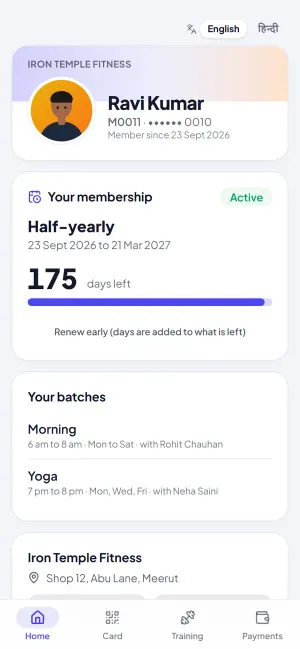
Without something for members to look at, the front desk answers the same questions all day: how many days are left, what do I owe, can you send my receipt.
- Explore
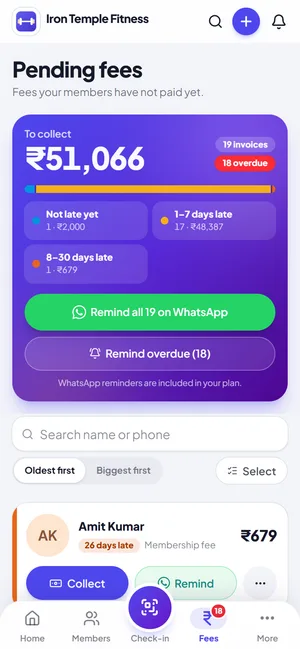
Fee collection and dues
Cash today, UPI tomorrow, half now and half on Saturday.